 Talent Summoner
Changelog
Stay up to date with the latest changes in our product
A rebuilt sourcing assistant and one consistent look
The sourcing assistant finds better-fitting candidates and explains them more clearly, the app has one consistent look, and the site and policies now speak to hiring in every market.
Oct 23, 2026
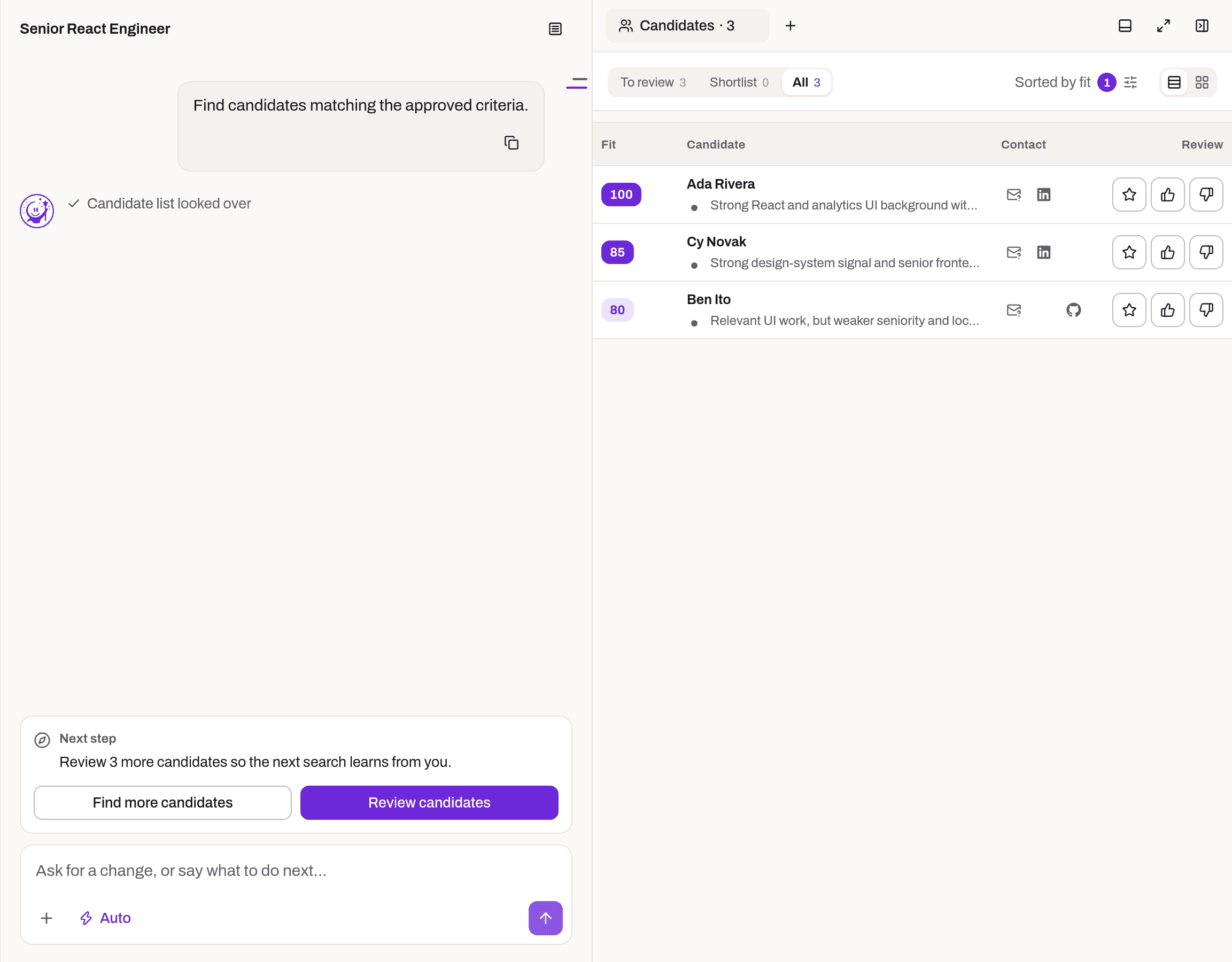
Better-fitting candidates
- The sourcing assistant is rebuilt end to end, with clearer criteria, better searches and stricter evaluation.
- Searches combine the role's core skills and look in more places, so each run finds more relevant people.
- Must-haves now hold only the hard requirements; other skills count as nice-to-haves.
- The bar for showing a candidate is higher, and red flags weigh more in the score.
- People who currently work at the hiring company are hidden from results; past employees still appear.
- When drafting a role, the assistant suggests a narrow years-of-experience range (for example 5–8 years) instead of an open-ended "5+".
Clearer reasons for every candidate
- Red flags now say what the profile shows against them, on the table, the card, the profile and the result email.
- Candidate reasons are no longer cut short, and they name the employer, city, years and skills in plain sentences.
- Each candidate gets a short summary, and the years of experience a candidate states are taken into account.
Easier to follow
- The app has one consistent look, with the same loading, empty and error states on every screen.
- The assistant gives a short status update before each step, and shows one line per batch of evaluations. Open it to see the details.
- Replies start sooner after you send a message.
- Older sessions keep working after the rebuild.
Clearer for every market
- The homepage, product pages, comparisons and FAQs now address hiring across markets. Hiring guides start with six market choices, and Hong Kong has its own hub.
- The Terms, Privacy and Cookie policies are updated for an international audience.
- The sign-in screen for Claude and ChatGPT connectors says that purchases happen only on talentsummoner.com, that nothing is sent until you approve it, and that these connections send email outreach only. LinkedIn messages are sent from the web app.
Pro now includes 10 Roles, and commute-based location
Pro gives you 10 Roles a month, location must-haves check real travel time, and searches start faster.
Oct 6, 2026
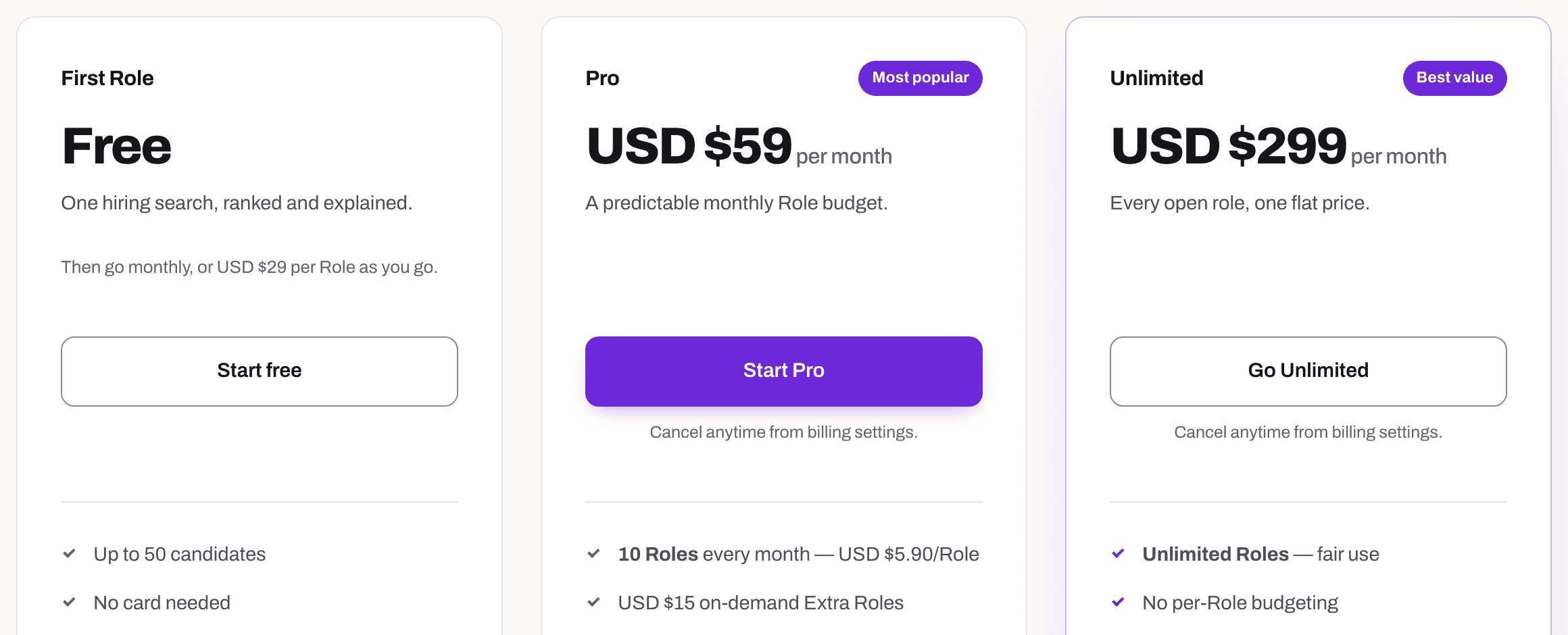
More for Pro
- Pro now includes 10 Roles a month, up from 4.
Location as a commute check
- A location must-have now checks whether the candidate can reasonably travel to the job's place, instead of matching place names.
- Candidate locations come straight from their LinkedIn profile.
Better results, faster
- Searches start faster, from pressing send to the first reply.
- Every search applies a minimum score and the experience range you asked for.
- If you do not say how many candidates you want, the agent picks a sensible number for the first round.
Around the app
- People who open a shared shortlist report can sign up from it.
- Result emails now read well on phones.
- A new MCP page explains how to use Talent Summoner from your AI assistant.
- Feature pages now include short promo videos.
Use Talent Summoner from your AI assistant
Run searches from Claude and other AI assistants, use the app in Traditional Chinese, and get results even when your must-haves are too strict.
Sep 25, 2026
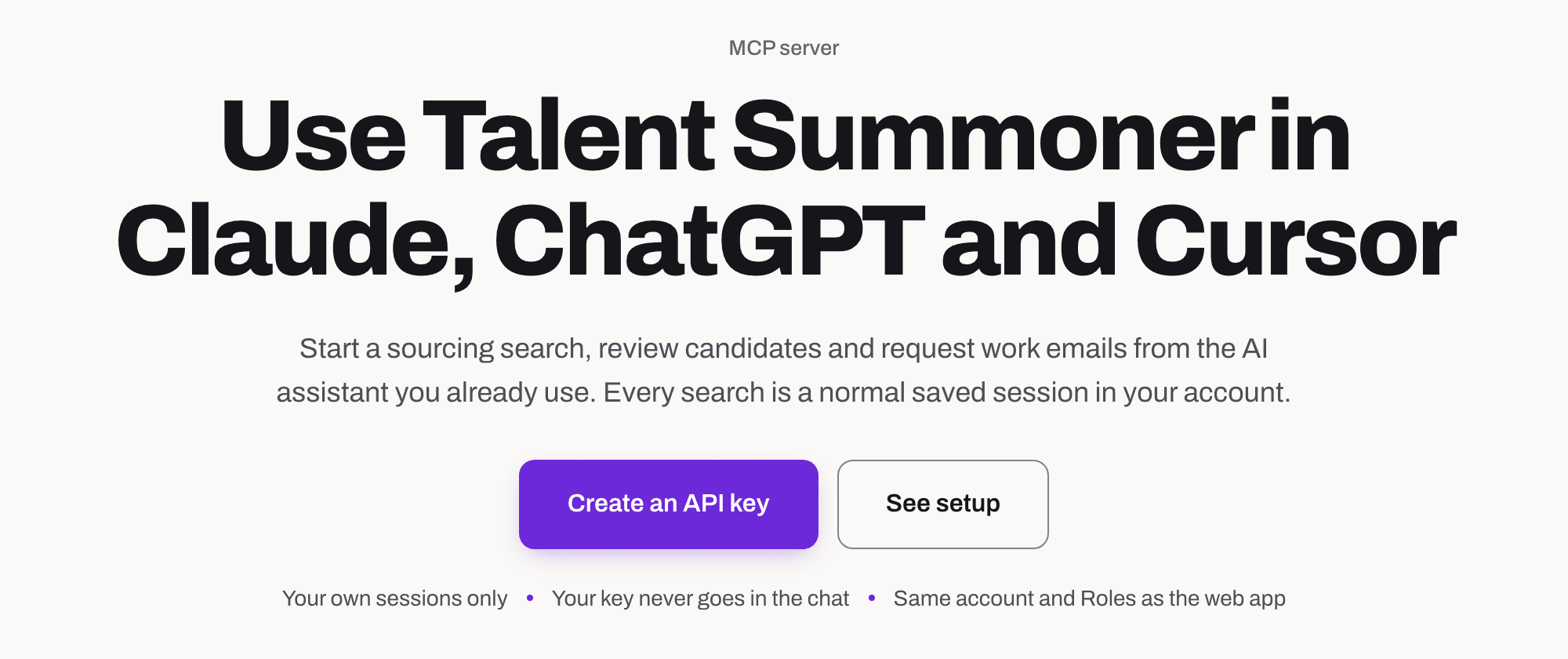
Talent Summoner in your AI assistant
- Start a search, read results, review candidates and request contacts from Claude and other AI assistants that support MCP.
- A guided setup walks you through connecting your assistant to your account.
- A search started from your assistant shows up as a normal conversation in the app.
Traditional Chinese
- The app, blog and landing pages are now available in Traditional Chinese (繁體中文).
Smarter search
- Wider people search: we search more broadly, then screen the results before evaluating them, and also look beyond LinkedIn on the open web.
- No dead ends: when no one matches all your must-haves, the agent offers to relax them in one click.
- The Fit Score now explains how it was worked out.
- Company and group pages are filtered out of results more reliably.
- If your ideal candidate profile is ready but you have not continued, we send a short reminder email.
Unlimited plan and result emails
A new Unlimited plan for teams with many open roles, an email when your search finishes, and deal-breakers you can set in chat.
Aug 28, 2026
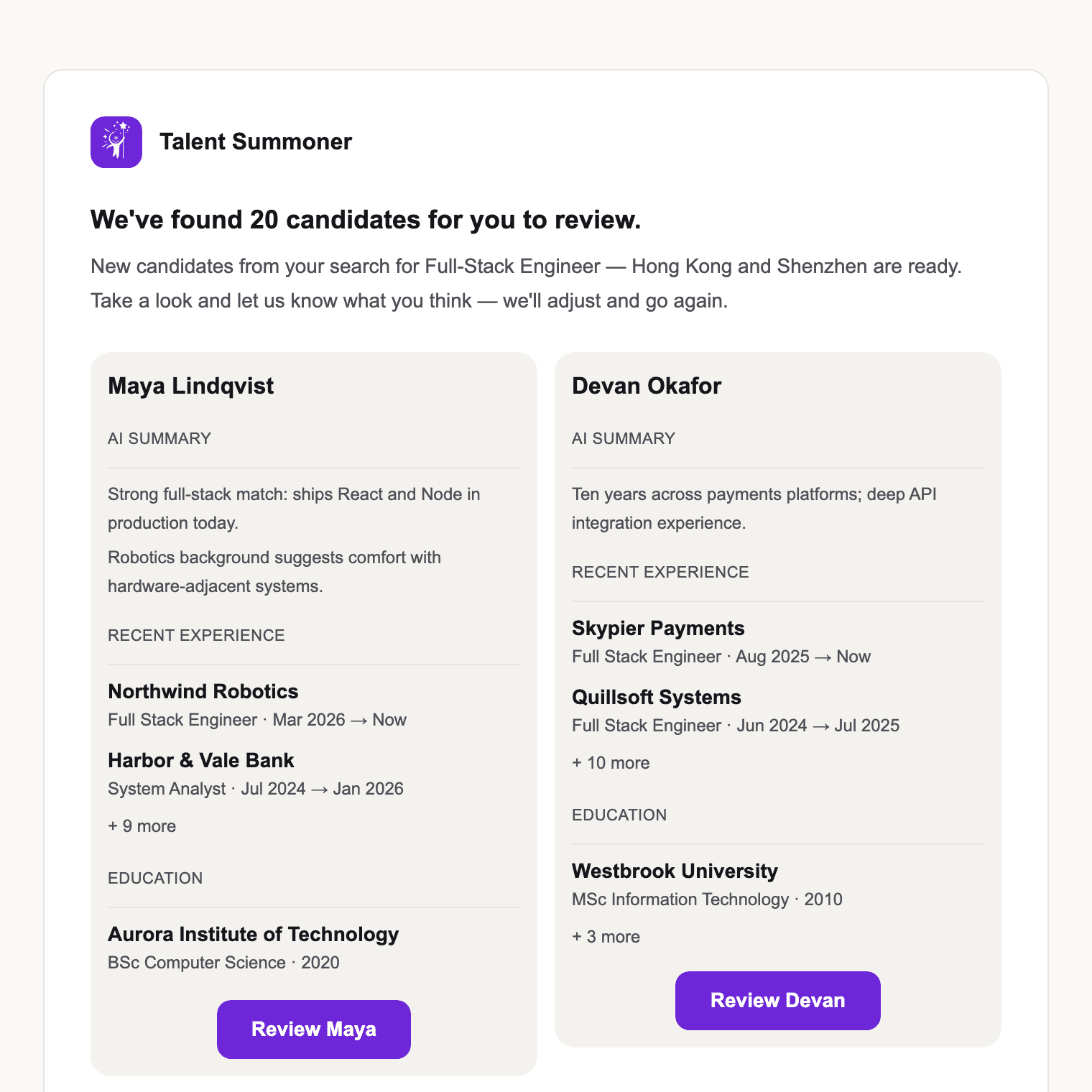
Unlimited plan
- Unlimited: one flat monthly price for every open role, with fair use.
- Switch between Pro and Unlimited any time from the billing page.
Know when results are ready
- When a search finishes you get an email with the top candidates and a short summary.
- Before you pay for a Role, extra results show as a blurred preview so you can see what is waiting.
- The upgrade offer now appears as a card in the chat instead of a banner pinned over your results.
Better control in chat
- Deal-breakers: tell the agent what rules a candidate out and it applies that to every result.
- Suggested next steps: the chat offers one-click actions after each round.
- Collapse the chat to give the candidate list more room, or hand off to a new role in one step.
- Press Cmd/Ctrl+Enter to send your role brief.
AI Email Outreach is live
The sourcing agent now drafts and sends personalised candidate emails — with your approval on every send.
Jul 31, 2026
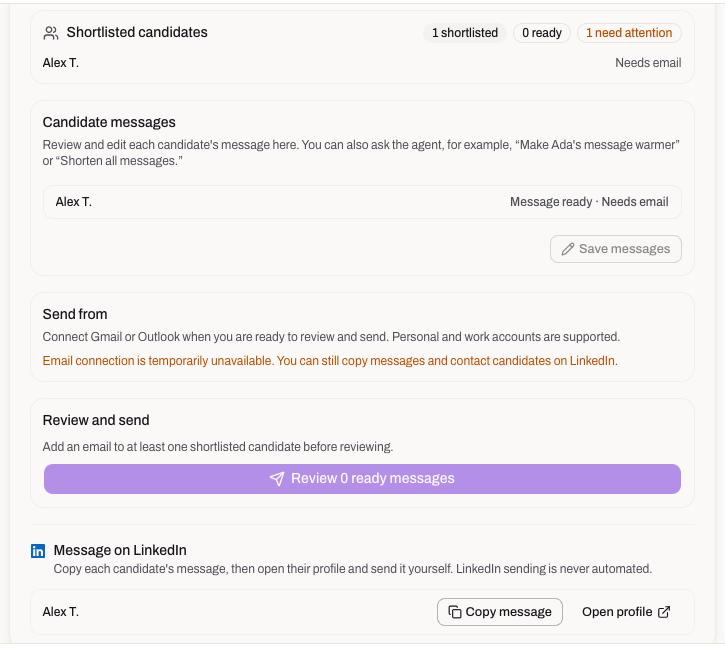
AI Email Outreach
The "coming soon" badge is gone — outreach now runs end to end inside the sourcing chat:
- Personalised drafts: the agent writes an individual email for each shortlisted candidate, grounded in their actual profile and your role brief.
- You approve every send: nothing goes out without an explicit confirmation step, and the confirmation flow has been hardened so an accidental click can't trigger a send.
- Official sending address: emails go out from a proper company address, not a generic relay.
Smoother sign-up
- Start a search before creating an account and your role brief now survives sign-up — the conversation resumes exactly where you left off.
Smarter candidate discovery
A new discovery engine finds more matching profiles per sweep, and the agent now proposes candidate filters you can edit before evaluation.
Jul 21, 2026
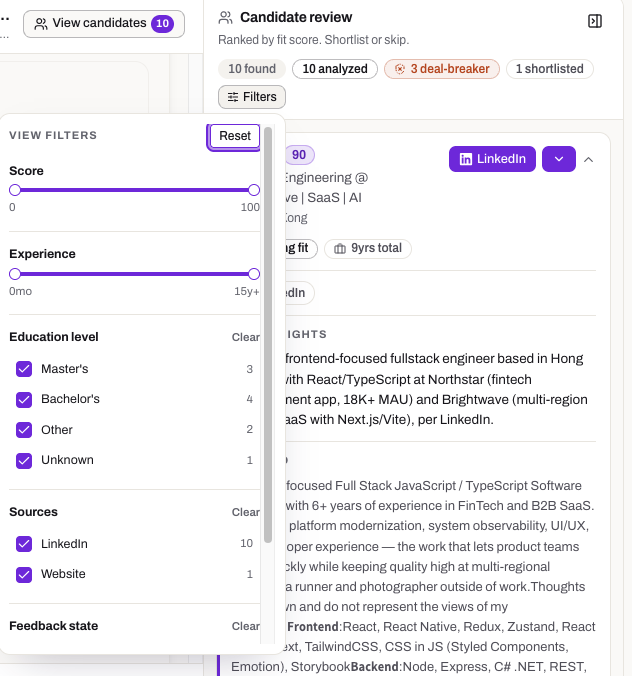
More candidates per search
- New discovery engine: profile discovery was rebuilt on a faster search backbone, surfacing meaningfully more matching profiles in each sweep.
- Per-round discovery ceiling: each search round now targets a consistent number of fresh profiles, so quality stays steady as a search runs longer.
Filters you can steer
- Agent-proposed filters: right after your evaluation criteria are set, the agent pre-fills the candidate sidebar filters (minimum score, sources) — and you can edit them before anything is evaluated.
- City-level locations: location filter options are collapsed to the city level, so narrowing a shortlist no longer means wading through duplicate districts.
Guided first run and monthly plan
Your first search now starts with a small, strong shortlist plus a feedback round — and teams that hire continuously get a monthly plan.
Jul 8, 2026
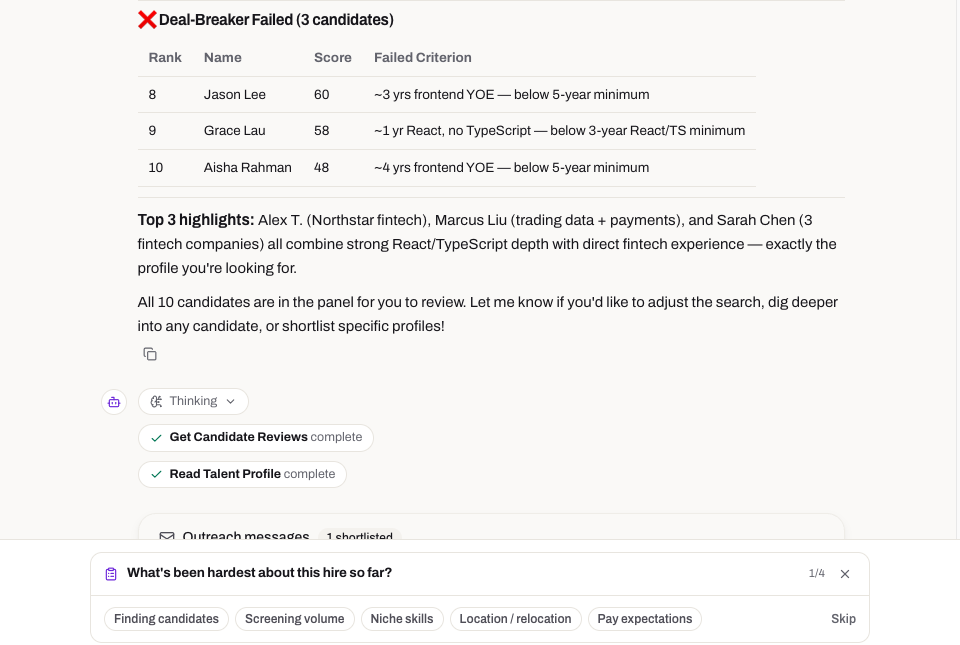
A better first search
- Small strong set first: instead of flooding you with profiles, the agent now opens with a compact, high-confidence shortlist and asks for your feedback before widening the search.
- Feedback that sticks: your yes/no calls and preference edits from that first round directly reshape the next sweep's search and weighting.
- Quick intake survey: a short survey while your first search runs teaches the agent about your company and taste, so later rounds start smarter.
Pricing
- Monthly plan: alongside pay-as-you-go role packs, there's now a monthly subscription for teams that hire continuously — see pricing for details.