 Talent Summoner
Candidate Experience After an Automated Message: A Repair Guide
A candidate replied upset, asked you to stop, or got the wrong message. Run four checks, stop contact, and send a short human apology you can copy.
 By Derek Chau · Published · in Candidate Outreach
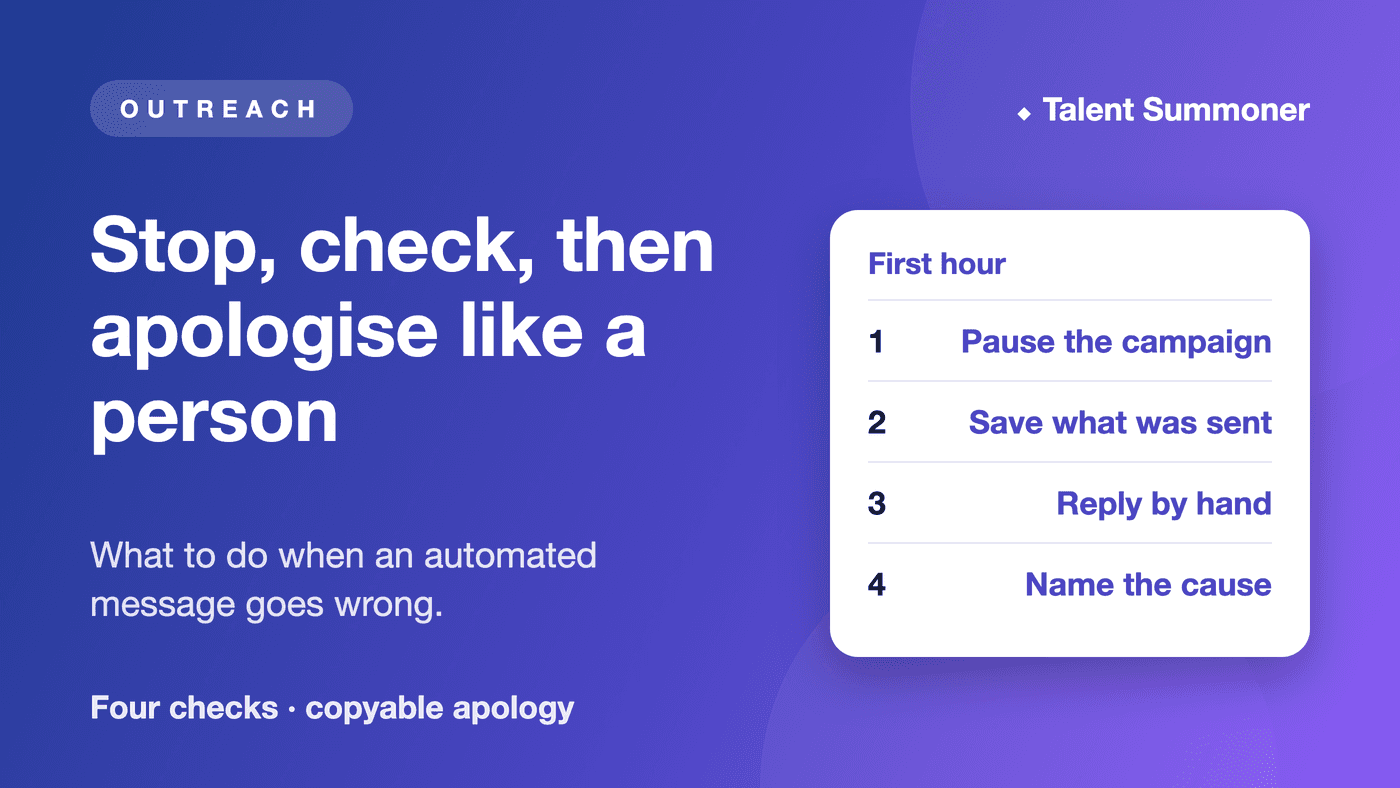
When an automated message reaches a candidate and something goes wrong, stop further contact first, then find out exactly what was sent, then send the candidate a short apology from a real person. Do not defend the system or pitch the role again.
We build Talent Summoner, which finds and ranks candidates and drafts a message for each one; it sends from your own Gmail, Outlook or LinkedIn only after you review each message and confirm the send. Your first Role is free, with no card needed.
This guide is for someone who runs outreach for a small team, unless you send only a handful of messages a month by hand. If a sequencing tool sent it without anyone reading it, run these steps first, then change that tool's settings.
Which of the four checks did the message fail?
Check one message, or one group that got the same wording, against these four questions. Then pick the action in the last column.
| Check | Ask | If it failed |
|---|---|---|
| Right person | Is this the right person, at the right address? | Stop. Apologise, delete their details, and keep only a do-not-contact note. |
| Honest sender | Does the message say who you are and why you wrote? | Edit and re-review before any new send. |
| Accurate reason | Is the detail about their work current and true? | Hold. Fix the detail, then reply by hand. |
| Easy exit | Could they say no and be left alone? | Stop all contact. Record the opt-out. |
What do I do in the first hour?
Work through these four steps in order.
- Pause the campaign, so no retry or second-channel message goes out.
- Save the message text, the recipient list and who approved it.
- Reply to anyone who wrote back, using a person, not a template tool.
- Name the cause: wrong list, stale detail, missing opt-out, or no human read.
Write down what you know and what you do not. A sent message does not show the candidate read it, and silence does not show they were fine with it.
Which replies mean stop, and which mean answer?
Sort each reply into one of four piles.
- Opt-out: stop all contact after one short confirmation, and record it where your team will see it.
- Correction: pause contact until the record is fixed, then tell them.
- Question: have a person answer from facts you can stand behind.
- No reply: treat it as unknown, and do not send a reminder to settle it.
An open or a click is not an invitation to write again.
What should the apology say?
Say what happened, say sorry, say you have stopped, and give them one way to reach you. Leave out the pitch.
Here is a note you can copy:
Hi [Name], I am [your name] at [company]. I am sorry: a message went to you [say the verified problem, for example "that named the wrong employer"]. It should not have reached you like that. I have stopped contacting you about this role and noted your preference. If you want to ask anything about it, reply to me directly.Only name the problem once you have confirmed it. If they opted out, end at: "I have stopped contacting you."
What does a repair look like in practice?
Fictional example: Hira recruits engineers for a 15-person company. A message told Dev his work at Acme stood out, but Dev left Acme two years ago and had already said no last month.
Dev replies: "Please stop emailing me." Hira pauses the campaign and finds the cause: the source list was old, and nobody had marked Dev's earlier no.
Hira writes the apology above, adds Dev to a do-not-contact list that the whole team uses, and checks the other 19 names on the list for the same stale detail. Four of them were out of date, so Hira edits those messages before anything else goes out.
When is this approach wrong for you?
Do not run this alone in these cases:
- The message exposed private information or reached the wrong person. Tell whoever handles privacy at your company before you reply.
- A candidate says they will complain or take action. Pause and ask your leadership how to respond.
- You send in large volumes. A hand check of every message will not scale, and you need a tool with its own controls.
Where does Talent Summoner fit?
Talent Summoner covers the step before the message. Its candidate sourcing ranks people from LinkedIn, GitHub and other public sources, and outreach drafts a message for each person from their own experience (both checked 2 November 2026).
The outreach page says each message is sent only after you read it and confirm, and that a confirmed send is up to 20 email recipients or 10 on LinkedIn. It does not describe a do-not-contact list, so keep your own.
We re-check the product and source facts on this page every quarter.
FAQ
Does an open or no reply show how a candidate felt about a message?
No. An open, a click or silence does not tell you whether the person welcomed the message, so rely on what they actually write back.
What should I do first when a candidate asks me to stop?
Stop all contact with them and record the request where everyone on your team can see it. Then send one short confirmation from a real person, and nothing after it.
Who should send the repair message?
Send it from a person who can speak for the team and who knows what went wrong. Confirm the facts first, and leave out any new pitch.
Does Talent Summoner send messages automatically?
No. Each message is sent only after you have read it and confirmed the send, from your own Gmail, Outlook or LinkedIn account.